
Calculator comparison
GetBirthChart vs Astro-Charts: Accuracy, Features and Birth-Time Handling
For the same synthetic Tropical / Placidus fixture, GetBirthChart and Astro-Charts matched closely on the shared planets, angles and house cusps: the tested differences were 0–1′. GetBirthChart is stronger for explicit calculation disclosure and safe unknown-time handling; Astro-Charts is stronger for visual customization, patterns, point controls and export. Neither result supports a universal accuracy winner.
Editorial standards overseen by Luis PhamMethodology
Publisher disclosure · tested August 25, 2026
This comparison is published by GetBirthChart. We tested each calculator with the same synthetic birth data and separated observed results from provider-documented claims. The fixture is not a real person’s birth data, and the page is not an independent certification of either calculator.
Quick verdict
Choose GetBirthChart if you want the calculation profile, True North Node convention and unknown-time limits stated plainly. Choose Astro-Charts if you want more control over the visual wheel, aspects, orbs, points, patterns and exports.
The tested planet, angle and house-cusp values were close. The visible North Node difference is best explained by a different point selection: GetBirthChart shows True North Node Aquarius 16°35′, while Astro-Charts displayed North Node Aquarius 17°41′ with its True Node toggle off. The Astro-Charts value aligned with the Mean Node reference, but the result label did not directly identify it as Mean Node.
| Use case | Better fit in this test | Why |
|---|---|---|
| Explicit calculation choices and unknown-time safety | GetBirthChart | True North Node disclosure, calculation reference and omitted time-dependent facts |
| Advanced visual customization and chart exploration | Astro-Charts | Point toggles, aspect/orb controls, patterns and export controls |
| Same-data calculation cross-check | Either | Shared planets, angles and house cusps differed by 0–1′ |
Side-by-side feature comparison
This table keeps feature scope separate from calculation accuracy. “Observed” refers to the supplied workflow and screenshots; it is not a promise about every account state, browser, viewport or future release.
| Criterion | GetBirthChart | Astro-Charts |
|---|---|---|
| Tropical zodiac / Placidus houses | Available in tested workflow | Available in tested workflow |
| Shared planets, ASC and MC | Displayed | Displayed |
| True North Node labeling | Explicitly labeled True North Node | North Node and True Node are separate toggles |
| Chiron | Shown as an Additional chart point | Shown as Chiron Cancer 12°51′ R |
| Unknown-time workflow | Explicit option with omissions | No explicit option observed |
| Houses when time is unknown | Omitted | Blank time generated a midnight chart with houses |
| Technical calculation details | Calculation engine and provenance disclosed | Engine not disclosed on tested free result |
| Chart customization | Focused settings | Zodiac, houses, skins, points, aspects and orbs |
| Patterns | Guided chart reading | Stellium, Mystic Rectangle and other pattern cards |
| Export | Download available in product actions | SAVE PNG / SAVE PDF controls observed |
| Save/share | Basic chart can be viewed without account | Save/share flow prompted login in test |
| Mobile result | 390×844 screenshot had no horizontal overflow | 390×844 dump had no horizontal overflow |
Test methodology
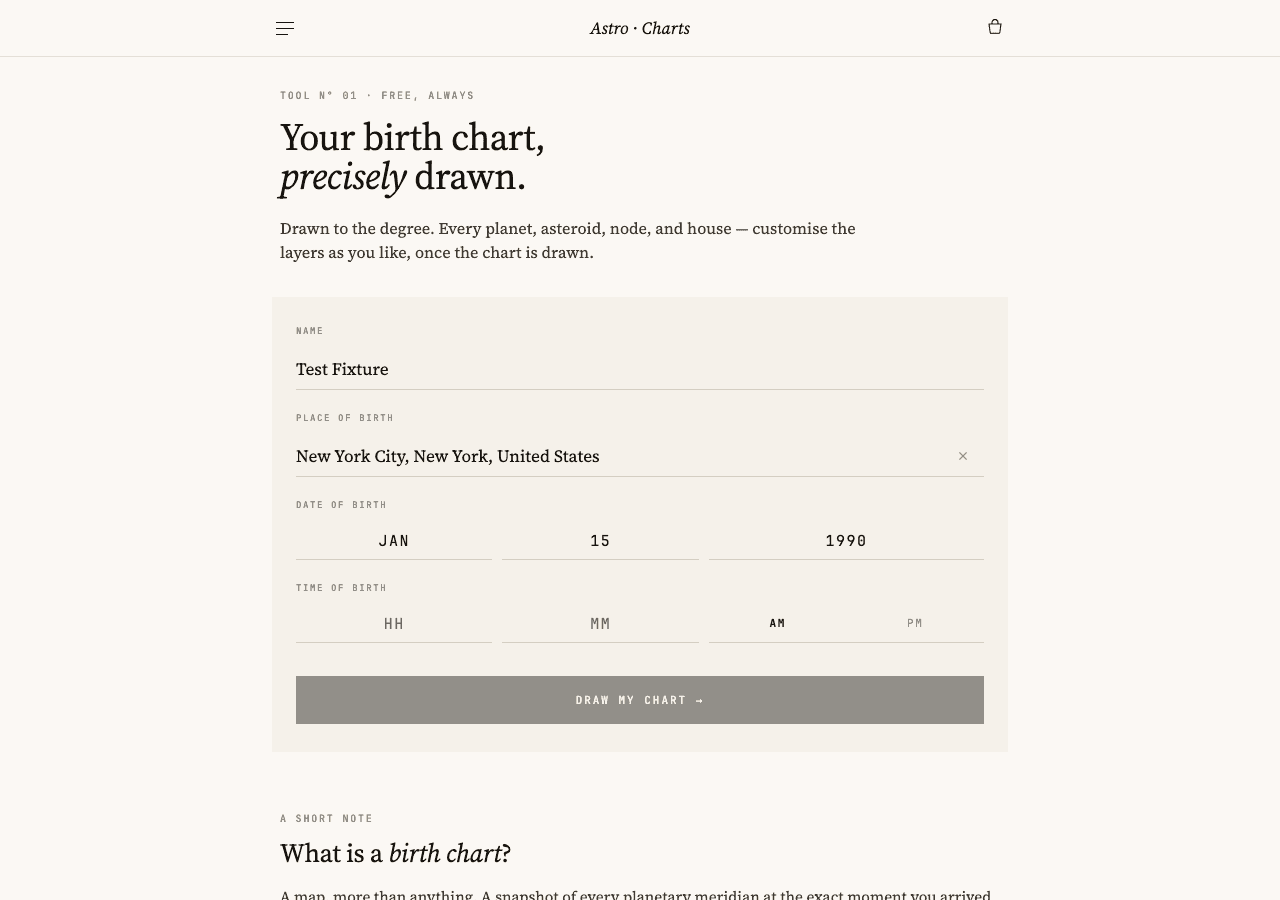
The shared fixture is January 15, 1990, 12:00 PM, New York City, New York, United States, EST / UTC−05:00, Tropical zodiac and Placidus houses. It is synthetic. We compared displayed longitudes, signs, retrograde flags, angles, all twelve Placidus cusps, additional chart points, aspects, customization controls and the separate missing-time workflows.
Settings were matched before any value was compared, and a 0–1′ gap is treated as consistent with display rounding rather than proof that the unrounded engine values are identical. The full fixture, evidence labels and difference thresholds live in the comparison methodology; GetBirthChart's own boundaries are in the Calculation Reference, Methodology and Corrections Policy.
| Field | Value |
|---|---|
| Fixture ID | GBC-COMP-001 |
| Date and time | January 15, 1990 · 12:00 PM |
| Location | New York City, New York, United States |
| Time zone | EST / UTC−05:00 |
| Zodiac / houses | Tropical · Placidus |
| Data status | Synthetic only; no personal chart data |
| Rounding rule | 0–1′ differences are reported as rounding-consistent |
Exact-time calculation comparison
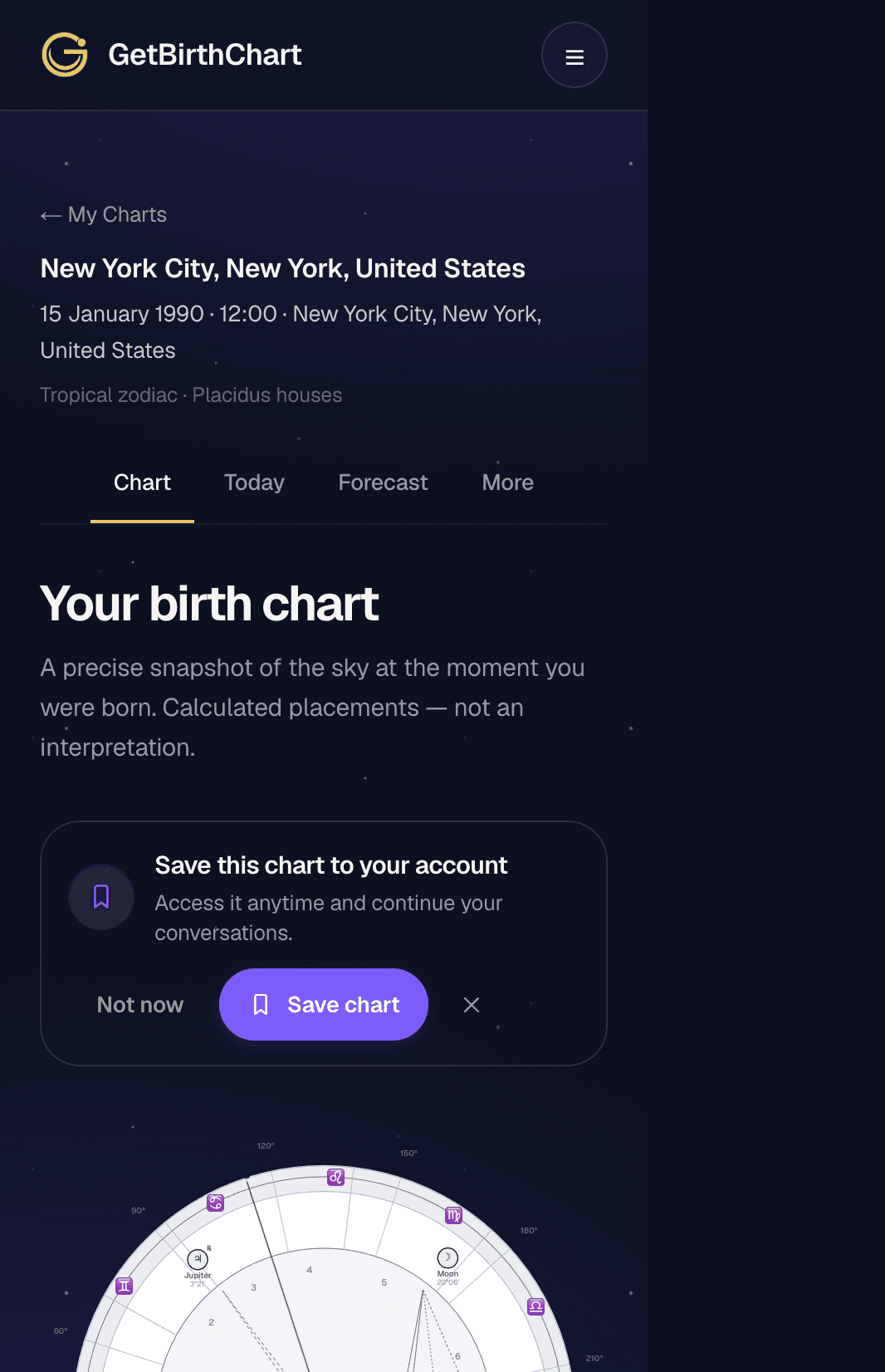
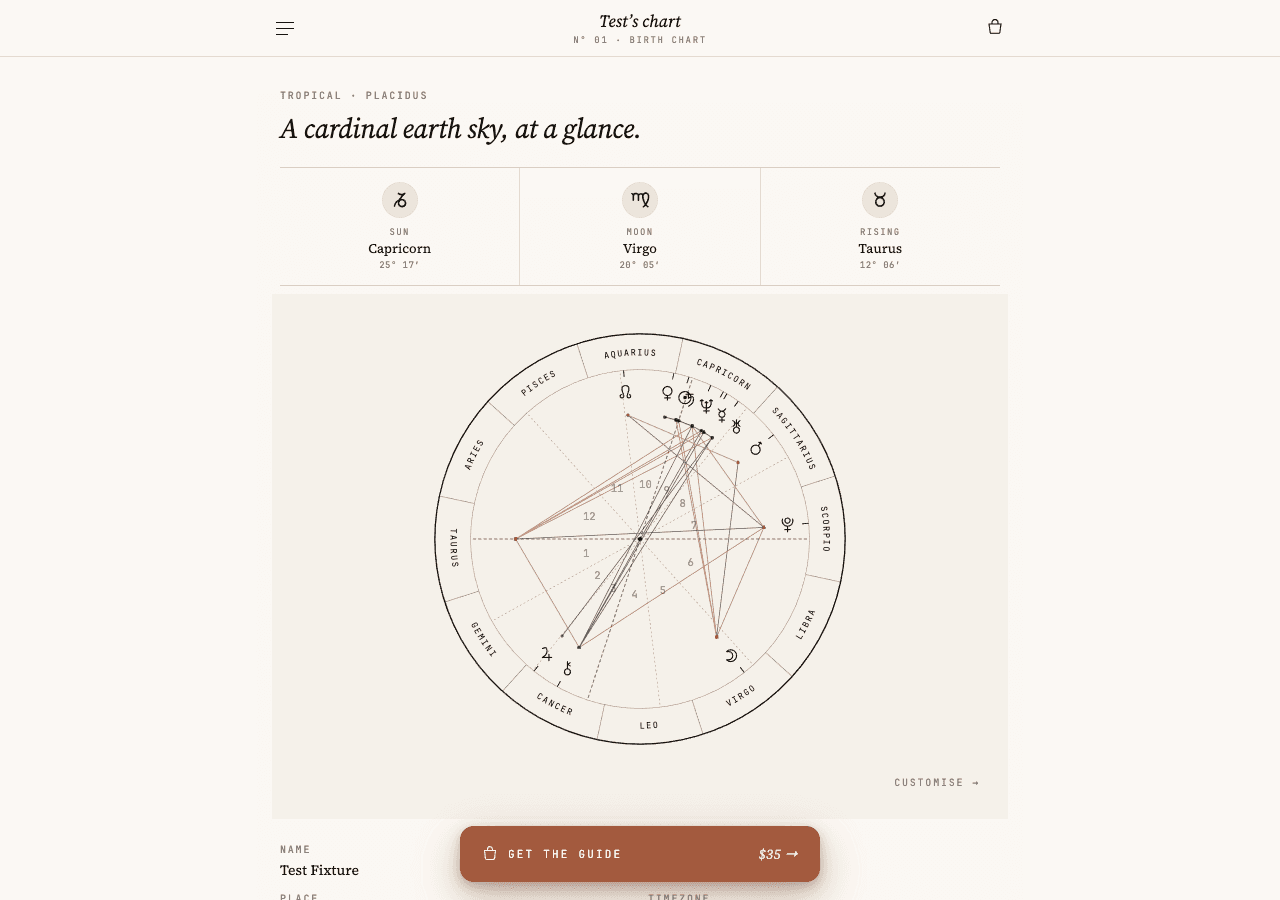
The shared planets, Ascendant, Midheaven and Placidus house cusps were extremely close in the captured outputs. Astro-Charts matched GetBirthChart to 0′ on the twelve cusps in the supplied result table; the shared planet and angle checks were 0–1′.
Those figures show that the tools can produce closely aligned results with the same visible settings. They do not show that either product is universally more accurate, and they do not erase differences in supported points or default conventions.
| Point | GetBirthChart | Astro-Charts | Difference / interpretation |
|---|---|---|---|
| Sun | Capricorn 25°17′ | Capricorn 25°17′ | 0′ |
| Moon | Virgo 20°06′ | Virgo 20°05′ | 1′; rounding-consistent |
| Mercury | Capricorn 11°12′ R | Capricorn 11°12′ R | 0′ |
| Venus | Aquarius 0°34′ R | Aquarius 0°34′ R | 0′ |
| Mars | Sagittarius 20°03′ | Sagittarius 20°03′ | 0′ |
| Jupiter | Cancer 3°21′ R | Cancer 3°21′ R | 0′ |
| ASC | Taurus 12°06′ | Taurus 12°06′ | 0′ |
| MC | Capricorn 24°00′ | Capricorn 24°00′ | 0′ |
| Placidus house cusps | Recorded | Recorded | All 0′ in captured result |
Why the North Node values differ
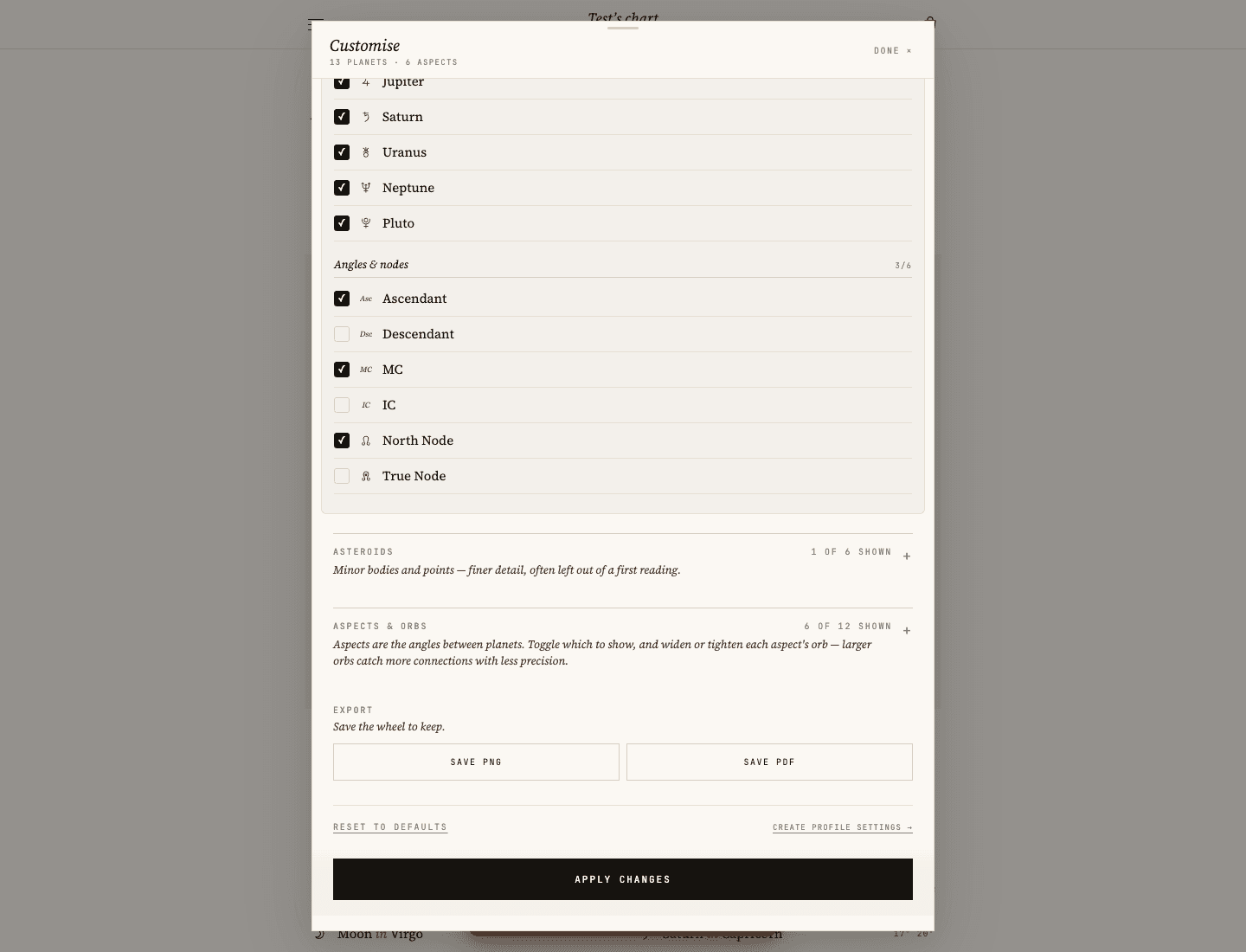
GetBirthChart’s public profile documents True North Node and the updated result labels it explicitly. The Astro-Charts customization evidence showed separate North Node and True Node toggles, with North Node on and True Node off. Its displayed North Node value was Aquarius 17°41′ R.
The Astro-Charts value aligned with the Mean Node reference, while the result label did not explicitly identify it as Mean Node. That is the safe conclusion from the supplied evidence. Do not rewrite it as the provider definitively using Mean Node. See True Node vs Mean Node for why two valid conventions can differ.
| Point or mode | GetBirthChart | Astro-Charts | Evidence reading |
|---|---|---|---|
| True North Node | Aquarius 16°35′ | Not selected in captured default | Mode is explicitly available |
| North Node | Not a public GBC mode | Aquarius 17°41′ R | Value aligns with Mean Node reference; result label did not say Mean |
| Chiron | Cancer 12°51′ R | Cancer 12°51′ R | Same displayed value |
Chiron comparison
Both tools displayed Chiron at Cancer 12°51′ R for this fixture. GetBirthChart presents Chiron under Additional chart points rather than treating it as a planet. Astro-Charts exposes it in its point and asteroid controls and shows the retrograde marker in the result.
The page uses the current result behavior and updated evidence after the additional-point display update; older feature-gap evidence is not used for the conclusion.
Unknown birth time behavior
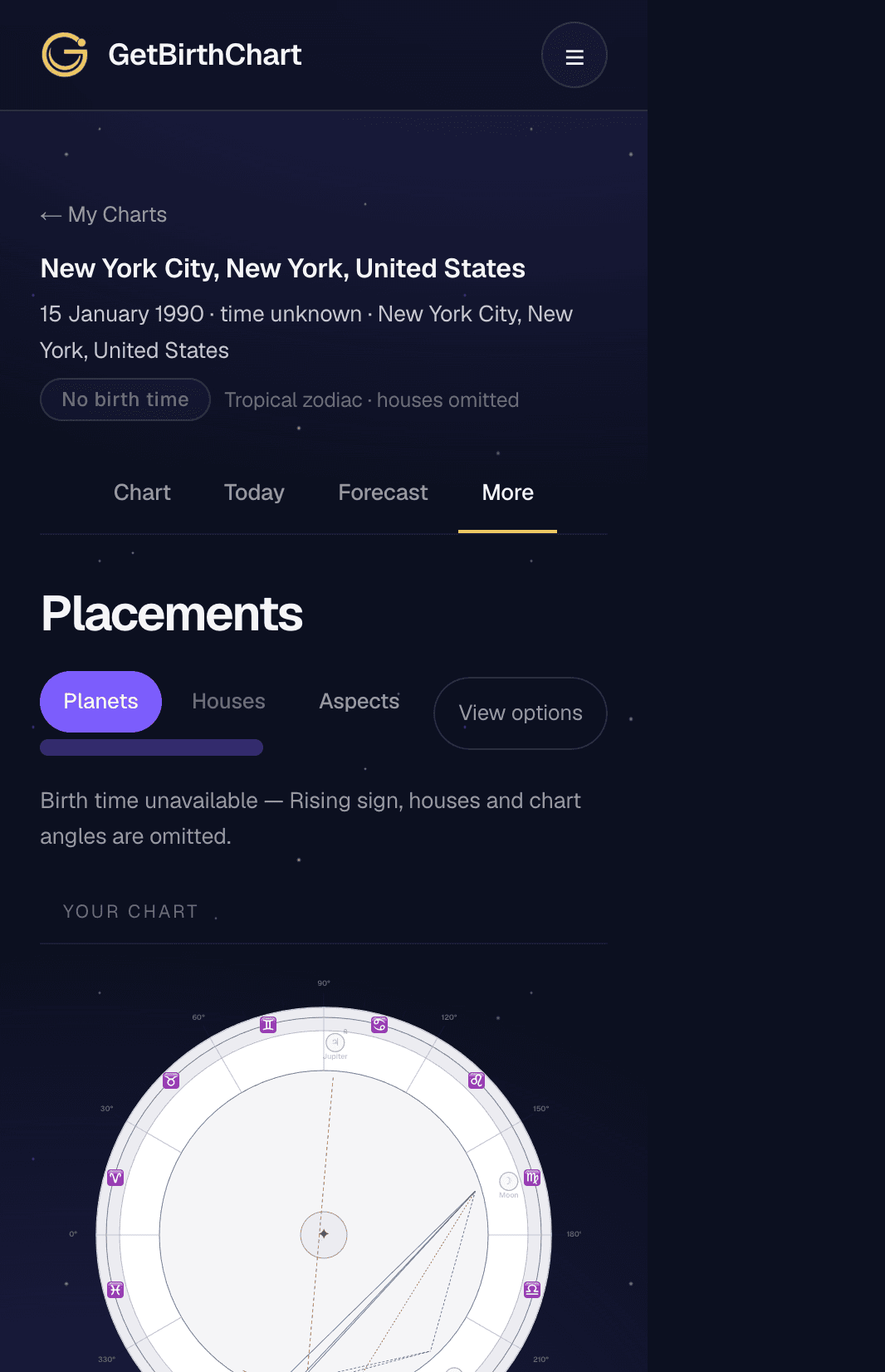
GetBirthChart has an explicit unknown-time workflow. It omits ASC, MC, houses and other time-dependent facts, labels the time as unknown and preserves only facts supported by the available input. This is a conservative safety boundary for readers who do not know their birth time.
No equivalent Astro-Charts option was observed. Leaving the time blank submitted a 12:00 AM result with a Rising sign and full houses. That is an observed midnight-chart workflow, not an unknown-time result, and the article does not call Astro-Charts’ calculation engine wrong. The risk is interpretive: a reader may mistake the fallback midnight chart for an exact chart if the default is not noticed.
| Behavior | GetBirthChart | Astro-Charts |
|---|---|---|
| Explicit unknown-time option | Yes | No option observed |
| Blank-time behavior | Not applicable; workflow is labeled unknown | Submitted as 12:00 AM |
| ASC and houses | Omitted | Full ASC and houses were generated for midnight |
| User-facing uncertainty | Prominent warning and omitted time-dependent facts | No unknown-time label captured |
| Interpretation of the result | A constrained date-level chart | A midnight exact-time chart, not an unknown-time result |
Wheel design, customization and patterns
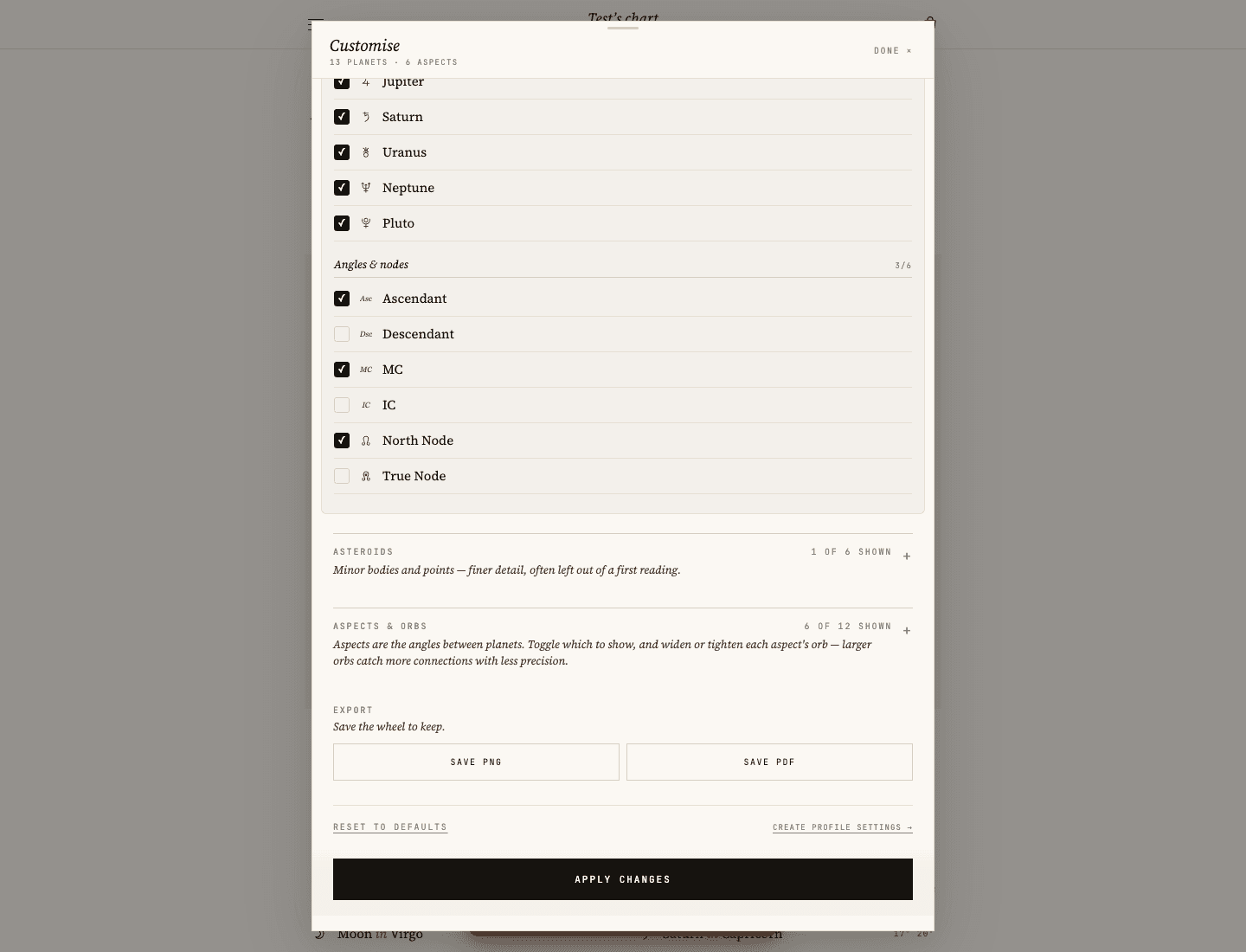
Astro-Charts was the stronger fit for visual exploration in the supplied evidence. Its customization panel exposed zodiac and house choices, skins, planets and additional points, aspect and orb controls, patterns, and PNG/PDF export labels. Its separate North Node and True Node toggles make point selection visible to an experienced user.
GetBirthChart offers a more focused wheel and placement inspection flow. It discloses the calculation method and keeps the calculation facts distinct from interpretation, but it offers less visual customization. That is a product-scope difference, not a calculation defect.
Interpretation, export and sharing
GetBirthChart’s result is designed to guide a reader from chart facts into interpretation and offers download/share actions in the product flow. Astro-Charts exposed SAVE PNG and SAVE PDF controls in the tested customization panel, plus visual pattern exploration. Save/share actions prompted login in the captured Astro-Charts workflow; no account or purchase was created.
The Astro-Charts test also showed a visible $35 guide upsell. That is reported as an observed commercial element, not a judgment about the value of the guide. A sticky paid CTA covering metadata was observed on one mobile capture and is kept scoped to that test rather than generalized to every device.
Privacy and calculation transparency
GetBirthChart documents its calculation engine and version, the public True Node profile and private-by-default chart sharing. Its privacy policy also discloses chart-data handling and third-party AI providers for Ask features; the deterministic engine remains the source of the chart calculation.
Astro-Charts’ privacy policy (opens in a new tab) says it does not sell personal data, share it with advertisers or train machine-learning models on user data, and documents retention after account deletion. Its About page (opens in a new tab) also contains an on-device claim. The supplied evidence records a tension between that copy and the privacy policy’s server-side collection/hosting language; this comparison reports both rather than collapsing them into one conclusion.
Who should choose GetBirthChart?
GetBirthChart fits a reader who wants explicit calculation choices, a clearly labeled True North Node, Chiron as an additional chart point, a prominent unknown-time boundary and a calculation-first interpretation path. It is the better match when the main question is “what can this input safely establish?”
Who should choose Astro-Charts?
Astro-Charts fits a reader who wants to explore a chart visually, change point and aspect selections, inspect patterns, tune orbs and export a PNG or PDF. Its customization surface is broader, but a reader without an exact birth time should notice that the blank-time workflow produced a midnight chart with houses.
Limitations of this comparison
This is one synthetic fixture, one captured test date and a limited set of workflows. It does not test every date, browser, account state, mobile screen, provider setting or future release. It does not establish an overall accuracy ranking or treat either product as the right choice for every user.
The article does not use the legacy mislabeled `gbc-exact-result-desktop.png`, which depicts Astro-Charts rather than GetBirthChart. It does not assign a provider-labeled Mean Node mode to the default result; the wording stays at the observed alignment with a Mean Node reference.
Final verdict
For explicit calculation choices and unknown-time safety, GetBirthChart is the better fit in this test. For advanced visual customization and chart exploration, Astro-Charts is the better fit. The shared calculation outputs were close; the deciding factors are convention disclosure, missing-time policy and the amount of visual control you want.
Evidence and update notes
The evidence was captured and reviewed August 25, 2026 using the supplied CSV tables, raw evidence, test report and screenshots. The current GetBirthChart result after the Node/Chiron display update is the source of truth for those points; older “not displayed” rows are superseded. Astro-Charts sources include its calculator (opens in a new tab), privacy policy (opens in a new tab) and About page (opens in a new tab). Corrections should follow the Corrections Policy.
Common questions
Is GetBirthChart more accurate than Astro-Charts?
This fixture did not establish an overall accuracy winner. Shared planets, angles and house cusps matched within 0–1′, while the clearest differences were Node convention, customization and unknown-time behavior.
Can Astro-Charts show the True Node instead?
The captured Astro-Charts customization panel showed separate North Node and True Node toggles, with True Node off in the tested result. A True Node option is therefore available in the interface; this test used the defaults as they were presented, and did not re-run the chart with the toggle switched on.
Does Astro-Charts use the Mean or True Node?
The tested customization panel showed separate North Node and True Node toggles, with North Node on and True Node off. The displayed value aligned with the Mean Node reference, but the provider’s result label did not directly confirm it as Mean Node.
Which calculator is better without an exact birth time?
GetBirthChart has an explicit unknown-time workflow that omits ASC, MC, houses and other time-dependent facts. Astro-Charts did not show an equivalent option; blank time submitted a midnight chart with houses.
Which calculator offers more chart customization?
Astro-Charts offered more visual and technical controls in the tested workflow, including point toggles, aspect and orb controls, patterns and PNG/PDF export. GetBirthChart keeps a more focused calculation-first surface.
Do both calculators show Chiron?
Yes. Both displayed Chiron at Cancer 12°51′ R for this fixture. GetBirthChart presents it under Additional chart points rather than grouping it with planets.
Calculate your chart with the same settings
Run the same Tropical / Placidus fixture—or use your own birth details—and inspect the calculation facts before exploring interpretation.
Calculate your chart